
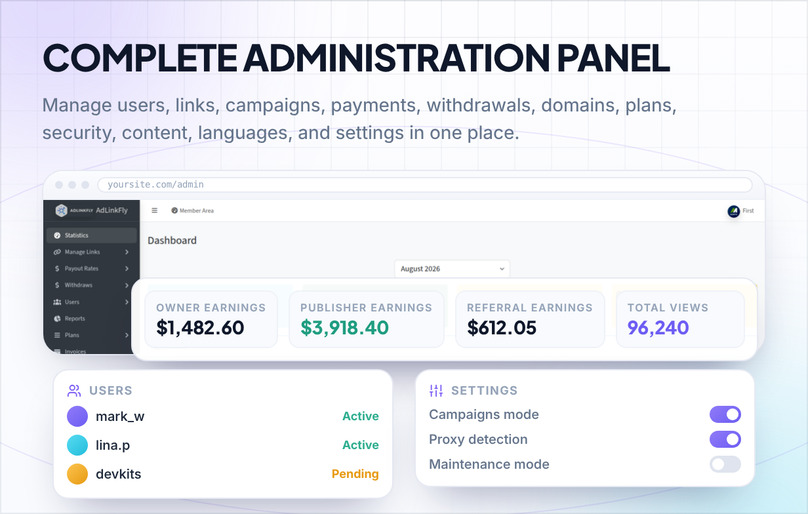
AdLinkFly is a self-hosted monetized URL shortener PHP script for building your own paid link shortening website. Publishers create and share short URLs to earn from qualified paid views, while advertisers create targeted advertising campaigns. The site owner manages publisher payout rates, advertiser pricing, membership plans, payments, withdrawals, referrals, domains, analytics, languages, themes, content, and traffic-quality rules from one administration panel.
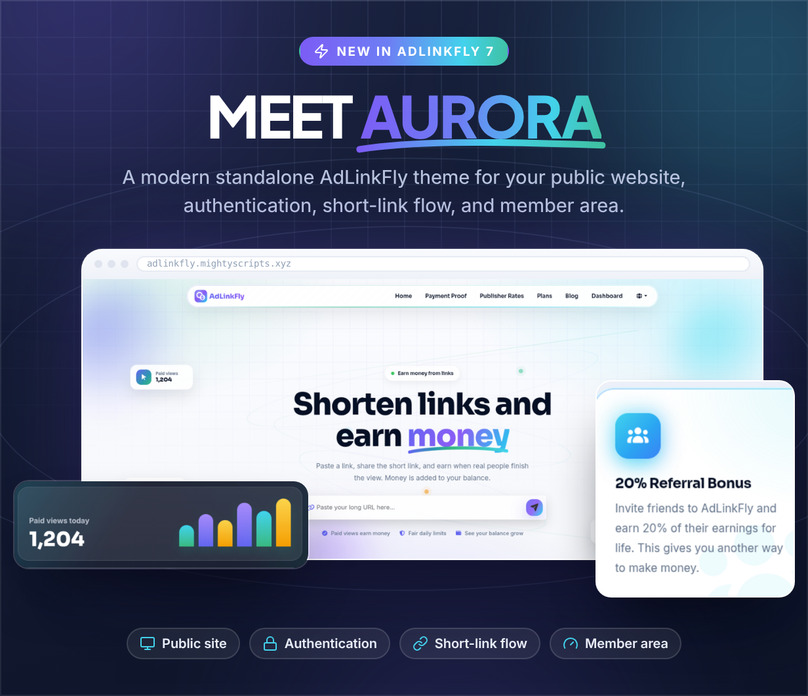
AdLinkFly 7 introduces Aurora, a modern standalone frontend theme, together with powerful membership plans, multiple earning modes, custom domains, advanced analytics, traffic-quality controls, translation management, SEO tools, API features, and extensive administration options.
Demo Account
Frontend: https://adlinkfly.mightyscripts.xyz/
Administration Panel: https://adlinkfly.mightyscripts.xyz/auth/signin
Username: DemoAccount – Password: password
Interstitial Ad Example: https://adlinkfly.mightyscripts.xyz/IgaZ
Banner Ad Example: https://adlinkfly.mightyscripts.xyz/55yVTj
No Advert Example: https://adlinkfly.mightyscripts.xyz/LB845kLq
AdLinkFly Monetized URL Shortener Features
System Requirements
AdLinkFly version 7 works on compatible shared, VPS, and dedicated hosting. It requires PHP 8.4.18 or higher and lower than PHP 8.6, ionCube Loader 15.0 or higher, MySQL 5.7 or MariaDB 10.3 or higher and the listed PHP extensions. Review the complete System Requirements shown on this product page before purchasing or upgrading.
Qualified Paid Views
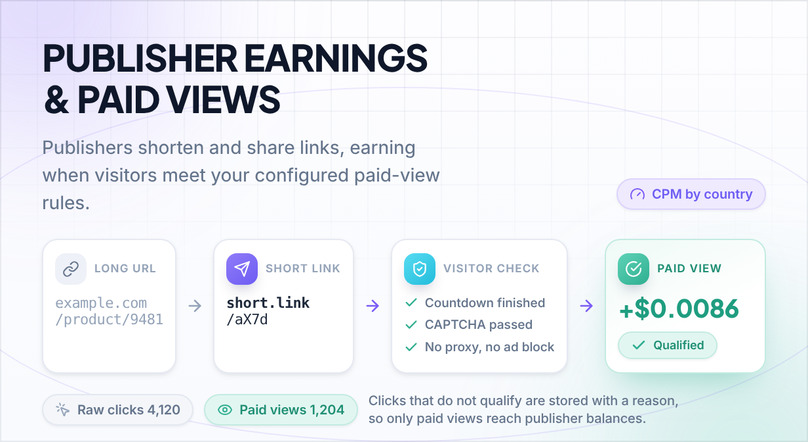
AdLinkFly separates raw clicks from valid paid views so publisher earnings and advertiser campaign traffic can follow the rules configured by the site owner.
- Enforce a configurable paid-view limit per visitor IP and calendar day.
- Apply the uniqueness limit across the website or independently for each campaign.
- Exclude proxy, VPN, TOR, hosting, or other detected proxy-service traffic when proxy detection is enabled.
- Exclude visits detected with an ad blocker from publisher earnings.
- Require JavaScript and cookies for the paid-view flow.
- Require the configured CAPTCHA when it is enabled for the short-link flow.
- Require visitors to complete the countdown assigned to the link owner's membership plan.
- Store a reason for non-earning statistics so administrators can review why a click did not become a paid view.
Publishers
- Publishers create short links, share them with real visitors, and earn from qualified paid views.
- Set publisher CPM payout rates separately for each country and traffic source.
- Allow direct, interstitial, banner, and random interstitial-or-banner redirect types according to the publisher's membership plan.
- Give publishers a member dashboard with earnings, balance, link, referral, campaign, invoice, and withdrawal information.
- Display statistics by month and year with automatically generated charts.
- Allow eligible publishers to view, edit, hide, unhide, and delete their links.
- Allow publishers to review individual link statistics when the site and membership plan enable that feature.
Advertiser System
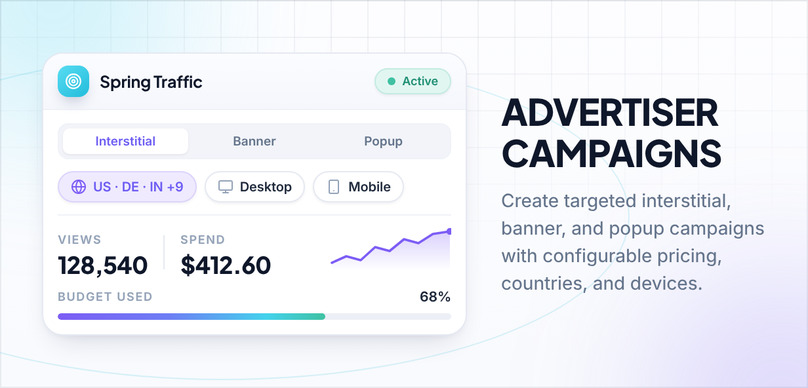
- Advertisers can create interstitial, banner, and popup campaigns.
- Advertisers select the countries from which they want to purchase traffic.
- Campaign pricing can be configured separately by country, ad type, and traffic source.
- Advertisers can target desktop traffic, mobile and tablet traffic, or all supported devices.
- Campaigns move through Pending Payment, Under Review, Active, Paused, Finished, Canceled, Invalid Payment, and Refunded workflows as applicable.
- Advertisers can pay campaign invoices, pause or resume eligible campaigns, and monitor campaign views and spending.
- Administrators can create and manage default campaigns so the short-link flow has fallback advertisements.
Earning Modes
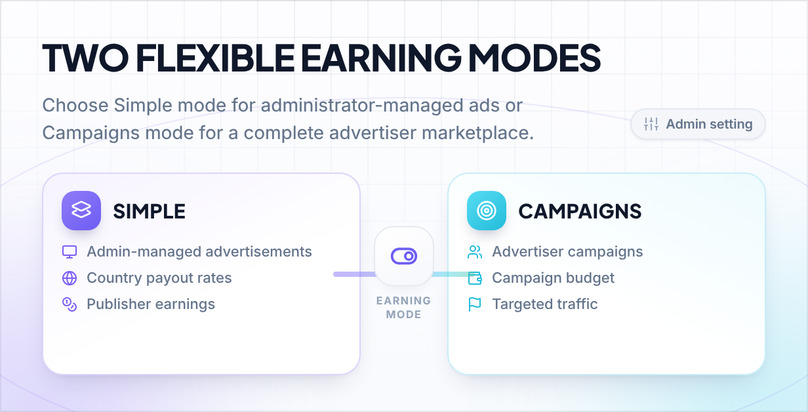
- Simple mode: Count qualified paid views using advertisements and payout rates configured by the administrator without requiring users to create advertiser campaigns.
- Campaigns mode: Count publisher earnings from eligible active campaigns while allowing users to create, fund, pause, resume, and monitor their own campaigns.
- Switch the active earning model from the administration settings without changing the publisher short-link workflow.
- Continue the visitor flow with a zero-earning fallback when Campaigns mode cannot find an eligible paid campaign.
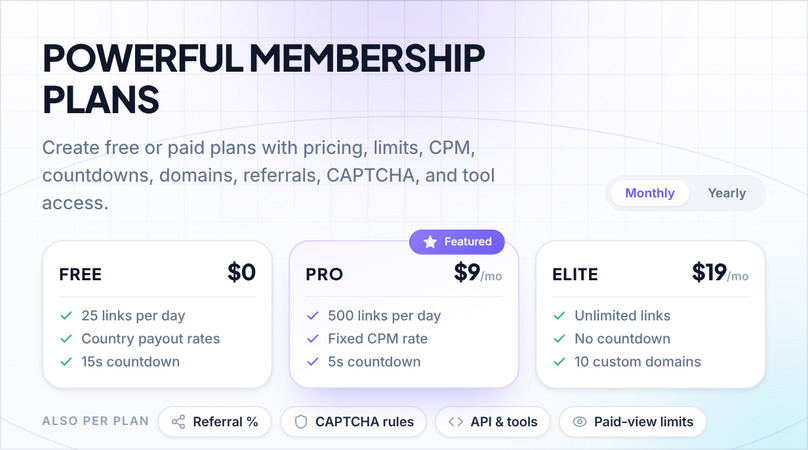
Membership Plans
Create as many free or paid membership plans as your website needs and configure the available features for each plan.
- Set monthly and yearly prices and highlight one plan as Featured.
- Set daily and monthly short-link creation limits.
- Set hourly, daily, and monthly paid-view limits.
- Set a fixed CPM or use the standard country payout rates.
- Set the short-link countdown for each plan.
- Enable or disable direct, interstitial, banner, and random redirect types.
- Control link editing, long-URL changes, link expiration, custom aliases, and link statistics.
- Control access to shared domains and set a custom-domain quota.
- Remove member ads, remove member or visitor CAPTCHA, or use one-time visitor CAPTCHA.
- Control referral earnings and set a referral percentage for each plan.
- Control access to Quick Link, Mass Shrinker, Full Page Script, Bookmarklet, and Developer API tools.
- Create hidden plans that administrators can assign without displaying them on public or member pricing pages.
- Translate plan titles and descriptions for each configured website language.
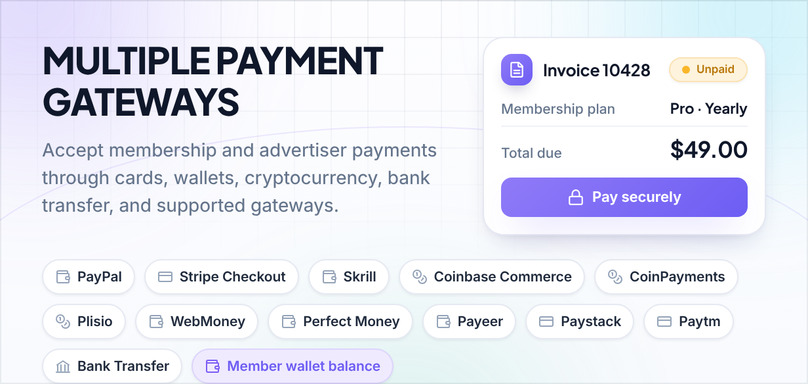
Payment Gateways
Accept payments for membership-plan and advertiser-campaign invoices through the integrations enabled by the administrator:
- PayPal
- Credit and debit cards through hosted Stripe Checkout
- Skrill
- Cryptocurrency through Coinbase Commerce, CoinPayments, or Plisio
- WebMoney
- Perfect Money
- Payeer
- Paystack
- Paytm
- Bank Transfer
- Member wallet balance
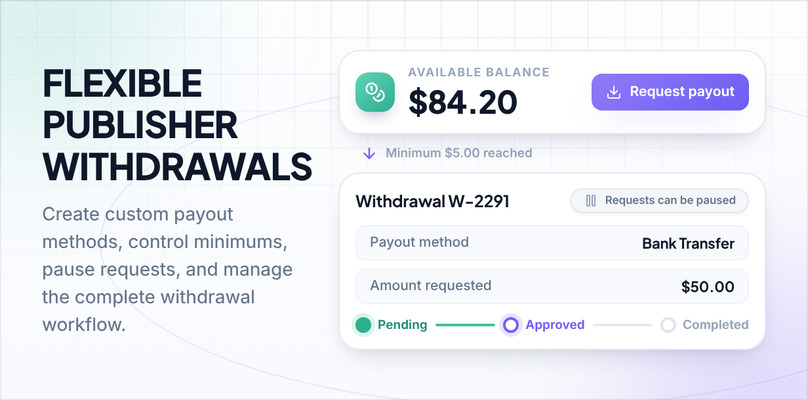
Withdrawal System
- Add an unlimited number of custom publisher withdrawal methods from the administration panel.
- Set the name, minimum amount, instructions, status, and optional image for every custom withdrawal method.
- Optionally allow publishers to move eligible earnings into their member wallet.
- Enable or disable new withdrawal requests when payouts need to be paused.
- Allow administrators to create a withdrawal request on behalf of a publisher.
- Manage pending, approved, completed, cancelled, and returned withdrawal states.
- Add a cancellation reason and return applicable funds to the publisher when a withdrawal is returned.
- Export withdrawal data for external review or payout processing.
Referrals System
Users can share their personal referral URL and earn a configurable percentage when the referred publishers earn. Administrators can enable or disable referrals, set the default referral percentage, override the percentage through membership plans, review referral relationships, and change the referring user when necessary.
Members System
- Allow visitors to register with a username, email address, and password.
- Optionally require email activation before a new account can be used.
- Allow members to sign in with either their username or email address.
- Allow members to reset forgotten passwords and securely change their passwords.
- Allow members to change their email address through the verification workflow.
- Allow members to manage optional profile and billing information such as name, address, country, city, state, and phone number.
- Give members dedicated areas for links, tools, referrals, campaigns, invoices, withdrawals, plans, support, custom domains, and account settings.
- End other authenticated sessions after a password change.
Social Network Login
- Login and registration with Facebook.
- Login and registration with X using the current OAuth 2.0 integration.
- Login and registration with Google.
- Apply normal registration-status, account-status, referral, signup-bonus, and administrator-alert rules to newly created social accounts.
API Tools
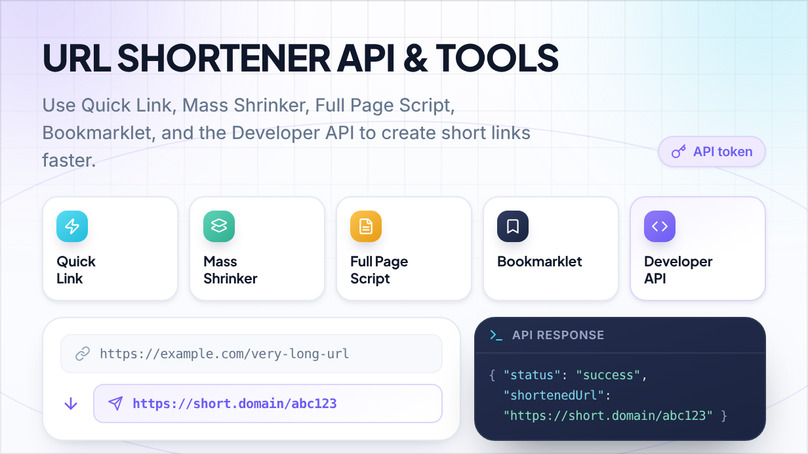
- Quick Link: Give each member a fast URL format for creating a short link with an allowed advertisement type.
- Mass Shrinker: Shorten multiple URLs in one submission using the administrator's configured batch limit.
- Full Page Script: Convert eligible links across an existing website without editing every URL manually.
- Developers API: Create short links through an API token and receive JSON or plain-text responses.
- Developer API Options: Submit an allowed advertisement type, custom alias, and authorized system or member domain.
- Bookmarklet: Shorten the page currently open in the browser through a member's authenticated API token.
Short Link Management
- Create short links from HTTP and HTTPS destinations, including destinations submitted without an explicit scheme.
- Generate random aliases or allow custom aliases when the member's plan permits them.
- Allow dash and underscore characters in aliases and configure minimum and maximum alias lengths.
- Fetch an optional destination title, description, and preview image for link presentation and sharing.
- Choose an authorized short domain and an allowed redirect type while creating a link.
- View, edit, hide, unhide, deactivate, reactivate, and delete links according to member or administrator permissions.
- Configure link expiration and automatic cleanup rules.
- Display an optional public or member-only link information page with a QR code.
Analytics & Reports
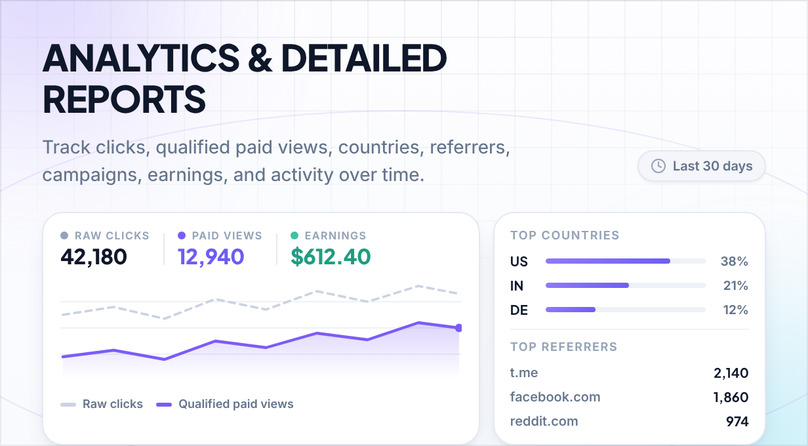
- Display publisher and administrator dashboard charts using the configured website timezone.
- Filter and review link, campaign, user, invoice, withdrawal, and advanced statistics from the administration panel.
- Display individual short-link activity for the latest 30 local calendar days when link statistics are enabled.
- Show link traffic by day, country, and referring domain.
- Cache link statistics, country reports, and referrer reports for faster repeated viewing.
- Keep raw-click and paid-view reporting distinct so earnings are not implied for every click.
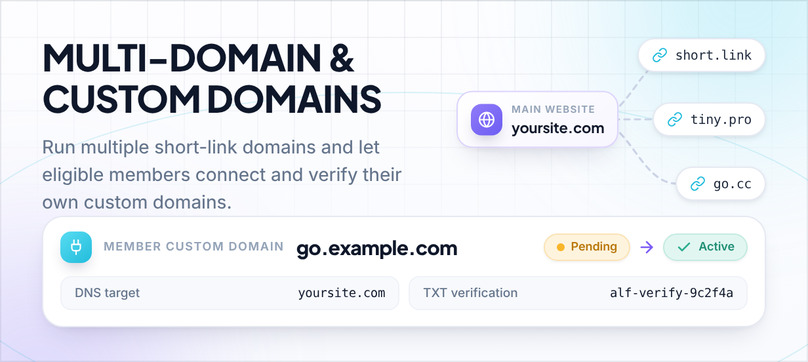
Multi Domains
- Add multiple system domains for short links.
- Choose separate main, default short, and shared short-link domains.
- Allow eligible members to choose among the shared domains while creating links or using tools.
- Use system domains through Quick Link, Mass Shrinker, Full Page Script, Bookmarklet, and Developer API flows.
- Redirect normal pages opened on a short domain back to the configured main website domain.
- Share authenticated sessions across configured system domains through the protected multi-domain login flow.
Member Custom Domains
- Set a custom-domain quota independently for every membership plan.
- Give every submitted member domain a DNS target and a stable TXT verification token.
- Keep new member domains pending until an administrator reviews and activates them.
- Allow administrators to activate, disable, review, and delete member domains.
- Allow active member domains in the shortener, Mass Shrinker, Bookmarklet, and Developer API.
- Keep domain ownership and link assignments enforced when links are opened.
- Reassign affected links to another authorized domain when a domain is deleted.
Link Safety & Traffic Controls
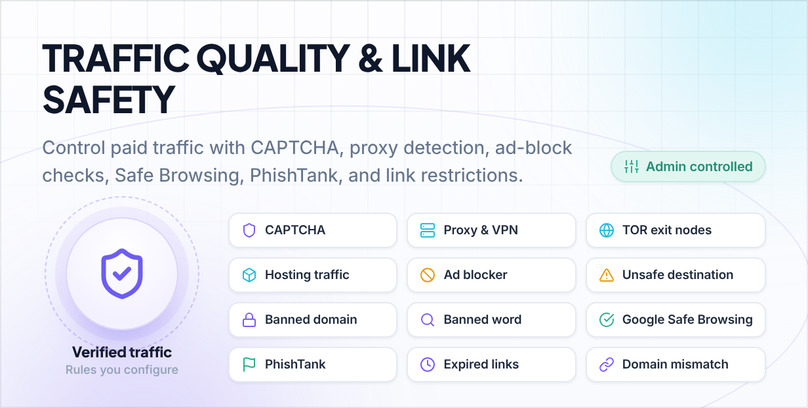
- Block configured domains and wildcard subdomains from being shortened.
- Reject configured banned words found in destination URLs, titles, or descriptions.
- Optionally check destinations through Google Safe Browsing.
- Optionally check destinations through PhishTank.
- Optionally detect proxy, VPN, TOR, hosting, and other unwanted traffic through IsProxyIP.
- Detect ad blockers and optionally stop the short-link flow until the visitor disables them.
- Reject inactive users and inactive, disabled, expired, or domain-mismatched links at the appropriate access boundary.
Captcha System
- Cloudflare Turnstile
- reCAPTCHA v2 Checkbox
- reCAPTCHA v2 Invisible
- hCaptcha Checkbox
- Enable or disable CAPTCHA protection from the administration settings.
- Enable CAPTCHA on the anonymous shortener, short-link flow, login, registration, forgot-password, and contact forms.
- Skip the contact CAPTCHA for authenticated member support submissions.
- Use membership-plan controls to remove visitor CAPTCHA or require it only once per visitor session.
Privacy & Data Controls
- Require users to accept the Terms of Use and Privacy Policy during registration.
- Keep personal profile fields such as first name and last name optional.
- Require consent before contact and member support forms store submitted names, email addresses, and messages.
- Display a configurable cookie notification with a link to the website privacy page.
- Allow administrators to export individual user information and selected user-list fields.
- Allow administrators to delete a user account together with selected related links, statistics, campaigns, invoices, withdrawals, social profiles, and referral relationships.
Frontend Themes
- Aurora: A standalone modern theme with dedicated public, authentication, short-link, and member views.
- Classic: A complete responsive theme that also provides the shared foundation for child themes.
- Cloud: A responsive child theme with its own layout and visual treatment.
- Modern: A responsive child theme with its own layout and visual treatment.
- All official themes use Bootstrap 5.3, responsive navigation, member-area styling, and LTR/RTL stylesheet builds.
- Members use the active frontend theme throughout their account area instead of a separate legacy member theme.
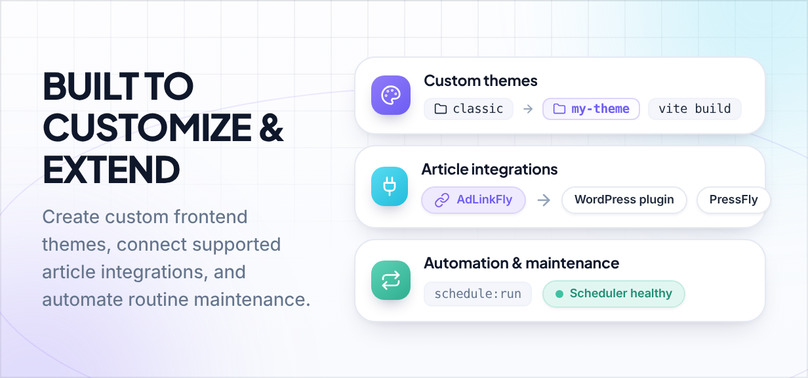
Custom Theme Support
- Create custom buyer themes without modifying an official theme directory.
- Give custom themes their own Vite build output so official theme rebuilds do not replace custom assets.
- Use parent-theme view inheritance where appropriate or ship a complete standalone theme.
- Select installed official or custom themes from the administration design settings.
Translation Ready
AdLinkFly uses a complete English JSON source map plus Laravel language files so the public website, member area, administration panel, emails, installer, and shared interface text can be translated.
Multilingual Ready
Add multiple active website languages, choose separate default frontend and administration languages, and let visitors switch languages from the navigation menu. Pages, blog posts, announcements, testimonials, menus, settings, and membership-plan text can have language-specific versions.
JSON Language Manager
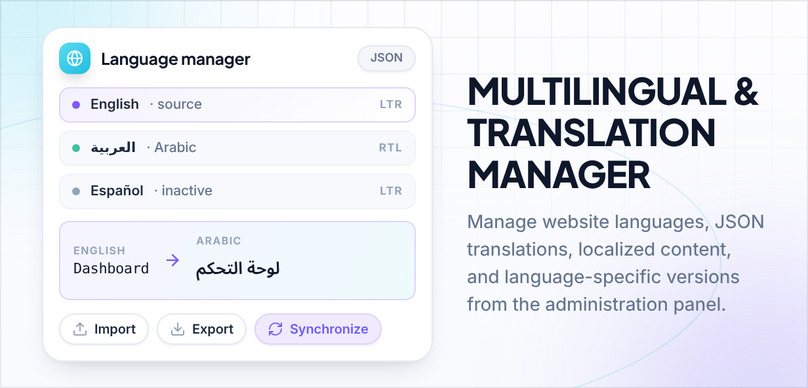
- Add, edit, activate, deactivate, synchronize, and delete website languages from the administration panel.
- Edit JSON translations from paginated front, admin, member, email, installer, shared, and general areas.
- Import a non-English JSON language file and export an existing language file.
- Synchronize one language or all configured languages with the current English source keys.
- Generate a source map from translation calls used throughout the application.
- Install and remove matching Laravel framework language files through the Language Manager workflow.
- Preserve language-specific content groups and switch visitors to the matching translated page or post URL when it exists.
Pages
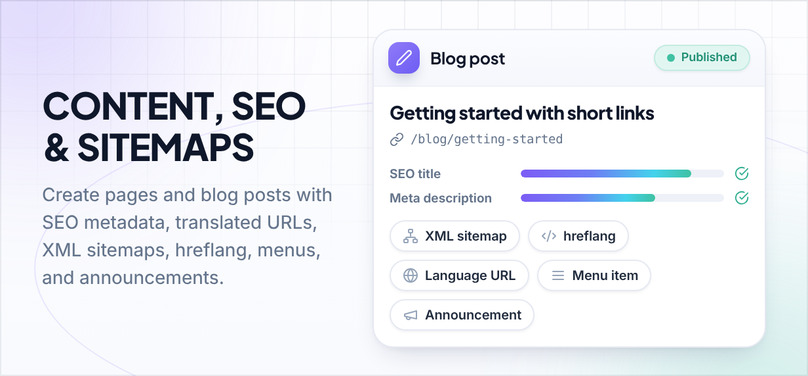
Create unlimited public pages with a visual editor, active/inactive status, language-specific versions, custom slugs, menu links, and per-page SEO title, keywords, and description.
Blog System
- Create unlimited blog posts with summaries, full content, images, active/inactive status, and publication dates.
- Create translated post versions with their own language-specific permalinks.
- Set an SEO title, keywords, and description for each post.
- Enable blog comments through the configured comments integration.
- Display latest or random blog content in supported short-link layouts.
Announcements System
Create unlimited language-specific announcements for the member dashboard, control their active status, and maintain translated versions in the same announcement group.
Testimonials System
Create unlimited language-specific testimonials, control their active status, and display a random selection on supported homepage themes.
Menu Manager
- Add, edit, remove, reorder, and translate frontend menu items from the administration settings.
- Control whether a menu item is visible to everyone, guests only, or authenticated users only.
- Keep menu links on the configured main domain when the website uses multiple short domains.
- Automatically display the language selector when more than one active language is available.
SEO & Sitemaps
- Configure the website SEO title, description, keywords, social sharing image, and canonical URLs.
- Configure record-specific SEO metadata for public pages and blog posts.
- Generate an XML sitemap index with general, page, and enabled blog-post sitemaps.
- Generate language-specific URLs with reciprocal hreflang and x-default annotations.
- Keep short-link pages and statistics pages out of ordinary search results with noindex controls.
External Article Integrations
- Integrate the short-link flow with the supported AdLinkFly WordPress companion plugin.
- Integrate the short-link flow with a supported PressFly installation.
- Pass a visitor through the configured external article or post flow before returning to the protected AdLinkFly short link.
- Protect integration payloads with authenticated encryption, matching integration type, alias, status, and a short callback lifetime.
Automation & Maintenance
- Run scheduled application maintenance from one cron entry every minute.
- Monitor the latest scheduler run from the administration panel.
- Delete old pending accounts in configurable daily batches.
- Delete links that have had no activity for a configurable number of months.
- Optionally delete the statistics attached to automatically removed inactive links.
- Downgrade expired paid-plan members to the configured free plan automatically.
- Process withdrawal review data and other maintenance commands through the application console.
- Prevent overlapping scheduled work and support single-server locks when a shared cache is configured.
General
- Responsive public, authentication, member, short-link, and administration interfaces.
- Member support and public contact forms with both AJAX and normal form submission support.
- Configurable maintenance mode for public and member traffic.
- Configurable currency code, symbol, decimal places, and symbol position.
- Configurable website name, description, logos, favicon, social sharing image, and social profile links.
- Configurable outgoing email method, sender details, SMTP settings, and HTML/plain-text email templates.
- Copy-to-clipboard actions for generated short links without Flash.
- Optional website counters, payment proof, advertising rates, payout rates, pricing, and other dynamic page shortcodes.
- Separate configurable code injection areas for the frontend, authentication pages, member area, and administration area.
- Apache, Nginx, and IIS server templates with protected application, configuration, and upload paths.
Administration Panel
- Create administrators and manage active, pending, and deactivated member accounts.
- Use mass user actions to activate, deactivate, resend activation emails, or delete accounts with related data.
- Login as a member for support and troubleshooting.
- Send direct administrator messages and configure account, invoice, withdrawal, and registration email alerts.
- View dashboard statistics and sortable reports for users, links, campaigns, invoices, withdrawals, and advanced statistics.
- Filter links, users, campaigns, invoices, and withdrawals, with bulk actions available for links and users.
- Configure website identity, default languages, timezone, date format, currency, email, maintenance mode, and frontend theme.
- Configure Simple or Campaigns earning mode, country payout rates, advertiser prices, paid-view uniqueness, proxy detection, and ad-block behavior.
- Configure payment integrations, custom withdrawal methods, social login providers, and CAPTCHA providers.
- Configure anonymous and member shortening, allowed redirect types, default advertisements, alias lengths, Mass Shrinker limits, and destination metadata fetching.
- Manage membership plans, plan pricing, usage limits, countdowns, domains, referrals, statistics, CAPTCHA behavior, and API tools.
- Manage system domains and review pending, active, or disabled member custom domains.
- Manage advertiser campaigns, default campaigns, country prices, traffic sources, payment states, and campaign reports.
- Manage public pages, blog posts, announcements, testimonials, menus, translations, and SEO metadata.
- Configure disallowed domains, banned words, Google Safe Browsing, PhishTank, and proxy checks.
- Review system information, cron health, application version, and available database upgrades.
Hosting and System Requirements
- ionCube Loader 15.0 or higher
- Apache with mod_rewrite, Nginx, or IIS using the supplied server template
- MySQL 5.7 or higher, or MariaDB 10.3 or higher
- PHP extensions: pdo_mysql, curl, intl, json, openssl, mbstring, tokenizer, ctype, xml, bcmath, gd, fileinfo
- PHP functions: putenv and getenv
- Ability to run one cron job every minute
Get this script
Available- Download access after purchase
- Product updates during your active period
- Support access for setup and product questions
Hosting and System Requirements
- ionCube Loader 15.0 or higher
- Apache with mod_rewrite, Nginx, or IIS using the supplied server template
- MySQL 5.7 or higher, or MariaDB 10.3 or higher
- PHP extensions: pdo_mysql, curl, intl, json, openssl, mbstring, tokenizer, ctype, xml, bcmath, gd, fileinfo
- PHP functions: putenv and getenv
- Ability to run one cron job every minute